




Xbox Wireless Controller for Console, PC & Cloud Gaming
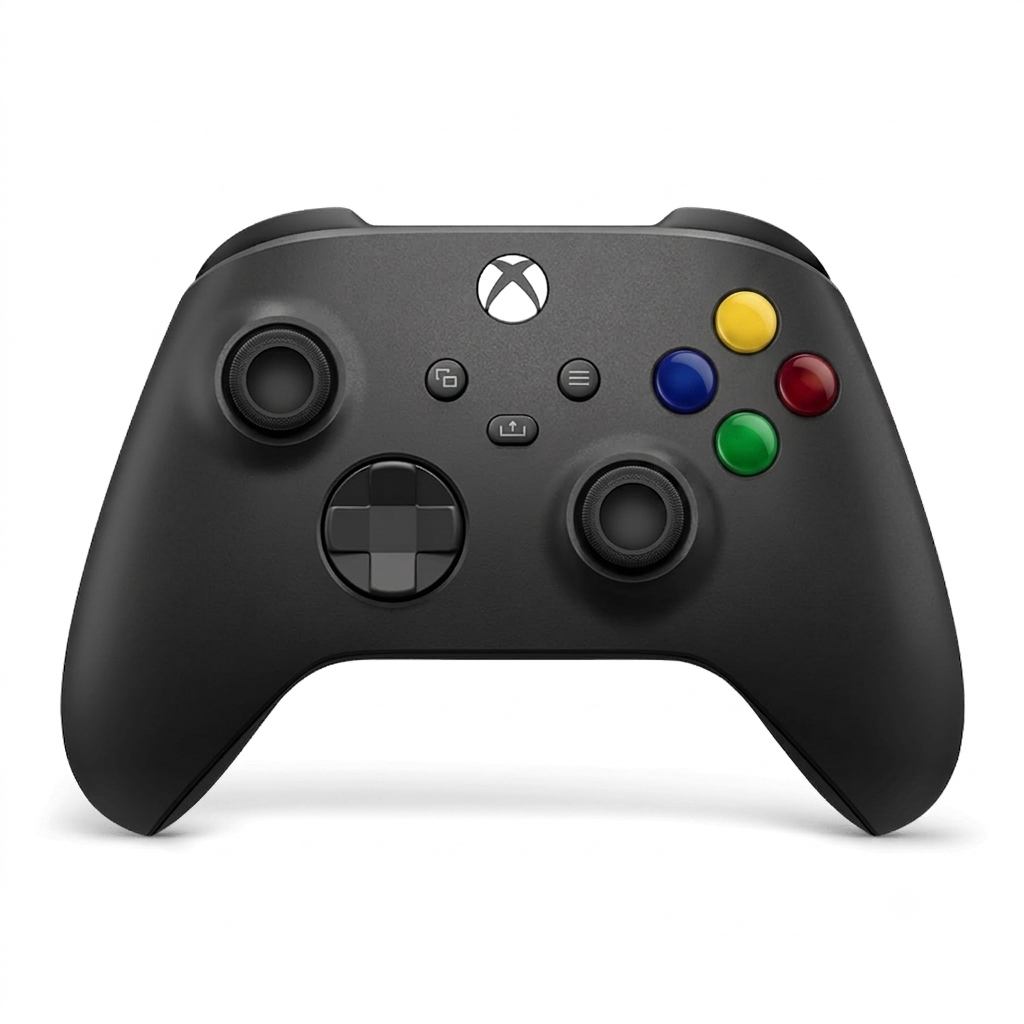
The Xbox Wireless Gaming Controller is built with comfort in mind. Its refined ergonomic shape fits naturally in your hands, while the textured grip on the triggers, bumpers, and back helps prevent slipping during long gaming sessions. Whether you’re playing for an hour or an entire weekend, the controller remains comfortable and easy to hand
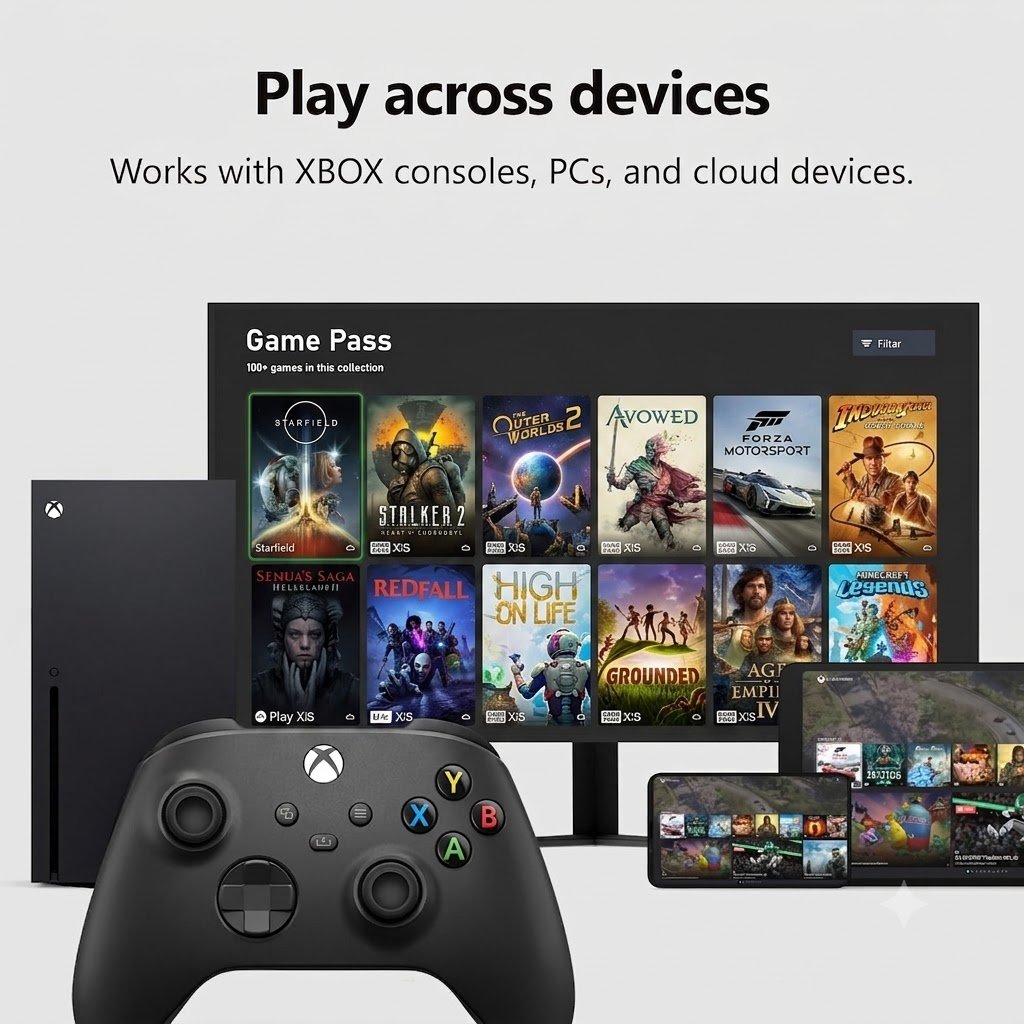
Play Across Multiple Devices
One of the biggest advantages of this controller is its wide compatibility. It works seamlessly with:
- Xbox Series X
- Xbox Series S
- Xbox One
- Windows PCs
- Studying
- Android devices
- iPhones and iPads
- Cloud gaming services
Props
- Excellent Ergonomic Design
- Wide Device Compatibility
- Multiple Connectivity Options
- Responsive Buttons and Triggers
- Low-Latency Performance
Cons
- Rechargeable Battery Not Included
- No Hall Effect Thumbsticks
- Basic Features Compared to Elite Controllers
Wireless, Bluetooth & USB-C Connectivity
The controller offers multiple connection options to suit different gaming setups. Use Xbox Wireless for console gaming, Bluetooth for mobile devices and PCs, or connect via USB-C for a stable wired connection with virtually no input lag.
Hybrid D-Pad & Responsive Controls
Microsoft's redesigned Hybrid D-pad delivers smoother and more accurate directional inputs, making it ideal for fighting games, platformers, and menu navigation. Combined with responsive thumbsticks and precision triggers, every movement feels natural and precise.
Dedicated Share Button
Capture your favorite gaming moments instantly with the built-in Share button. Take screenshots or record gameplay clips with a single press, making it easy to share your achievements and highlights with friends or on social media.
Long Battery Life
Powered by AA batteries, the Xbox Wireless Controller can deliver up to 40 hours of gameplay under typical use. It also supports rechargeable AA batteries or the optional Xbox Rechargeable Battery Pack for added convenience.
Why You'll Love It
- Comfortable ergonomic design
- Premium Carbon Black finish
- Works with Xbox, PC, mobile, and cloud gaming
- Wireless, Bluetooth, and USB-C connectivity
- Responsive thumbsticks and hybrid D-pad
- Textured grip for better handling
- Dedicated Share button for instant captures
- Up to 40 hours of battery life
- Durable and reliable build quality
This controller combines comfort, precision, and cross-platform compatibility, making it one of the best gaming controllers available for Xbox and PC users.
FAQ
Is the Xbox Wireless Controller compatible with PC?
Yes. The Xbox Wireless Controller works with Windows PCs via Bluetooth, USB-C cable, or the Xbox Wireless Adapter, depending on your setup.
Can I use the Xbox Wireless Controller with Android and iPhone?
Yes. It supports Bluetooth connectivity, making it compatible with many Android devices and iPhones for supported games
Does the controller work with Xbox Series X|S and Xbox One?
Yes. The controller is fully compatible with Xbox Series X, Xbox Series S, Xbox One, and many Windows devices.
Does the Xbox Wireless Controller have Bluetooth?
Yes. It features Bluetooth technology for easy wireless pairing with compatible PCs, smartphones, and tablets.
How long does the battery last?
Battery life can last up to 40 hours with AA batteries, depending on usage. Rechargeable battery packs are also available separately.
Does the controller include a rechargeable battery?
No. Most Xbox Wireless Controllers come with two AA batteries. Rechargeable battery packs are typically sold separately.